
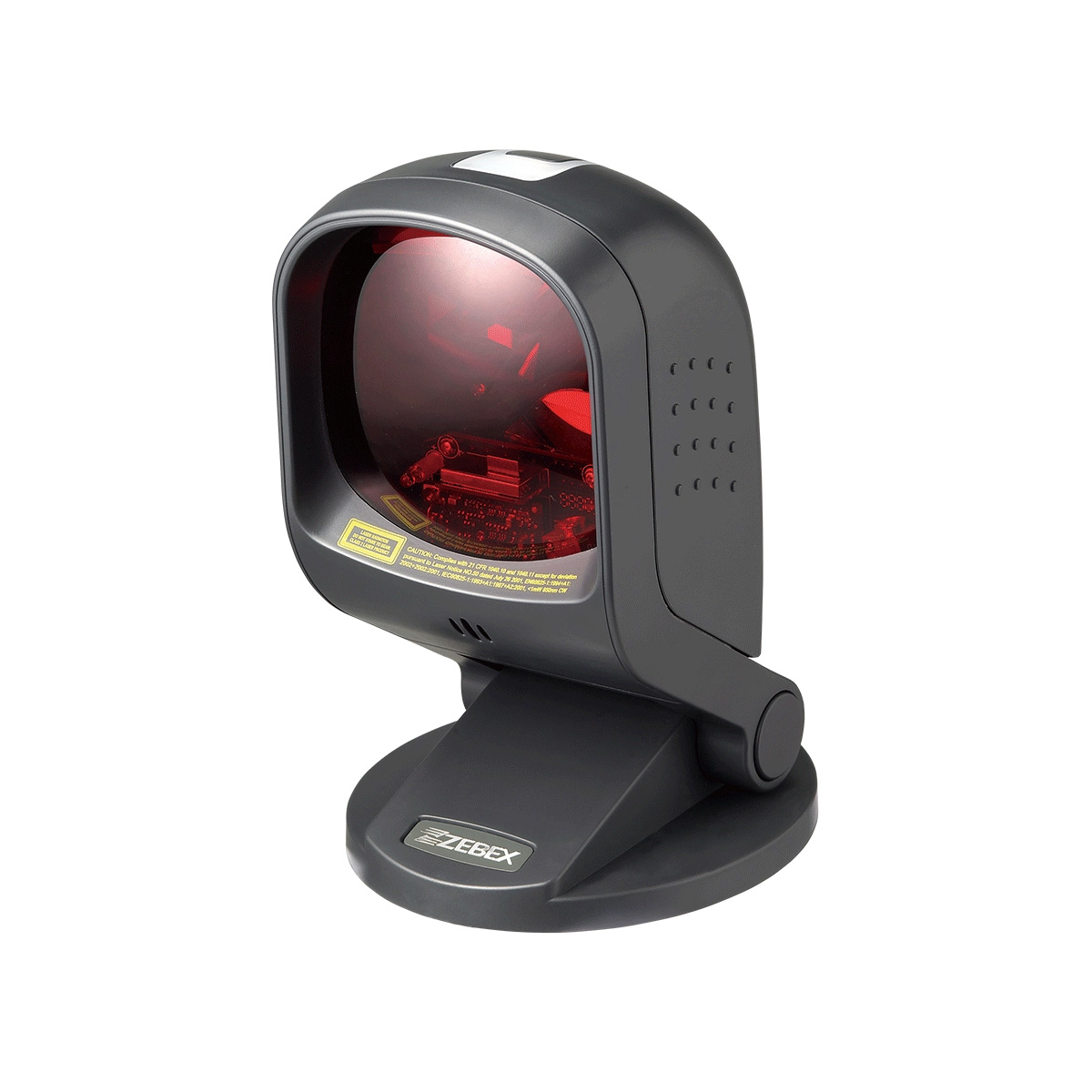
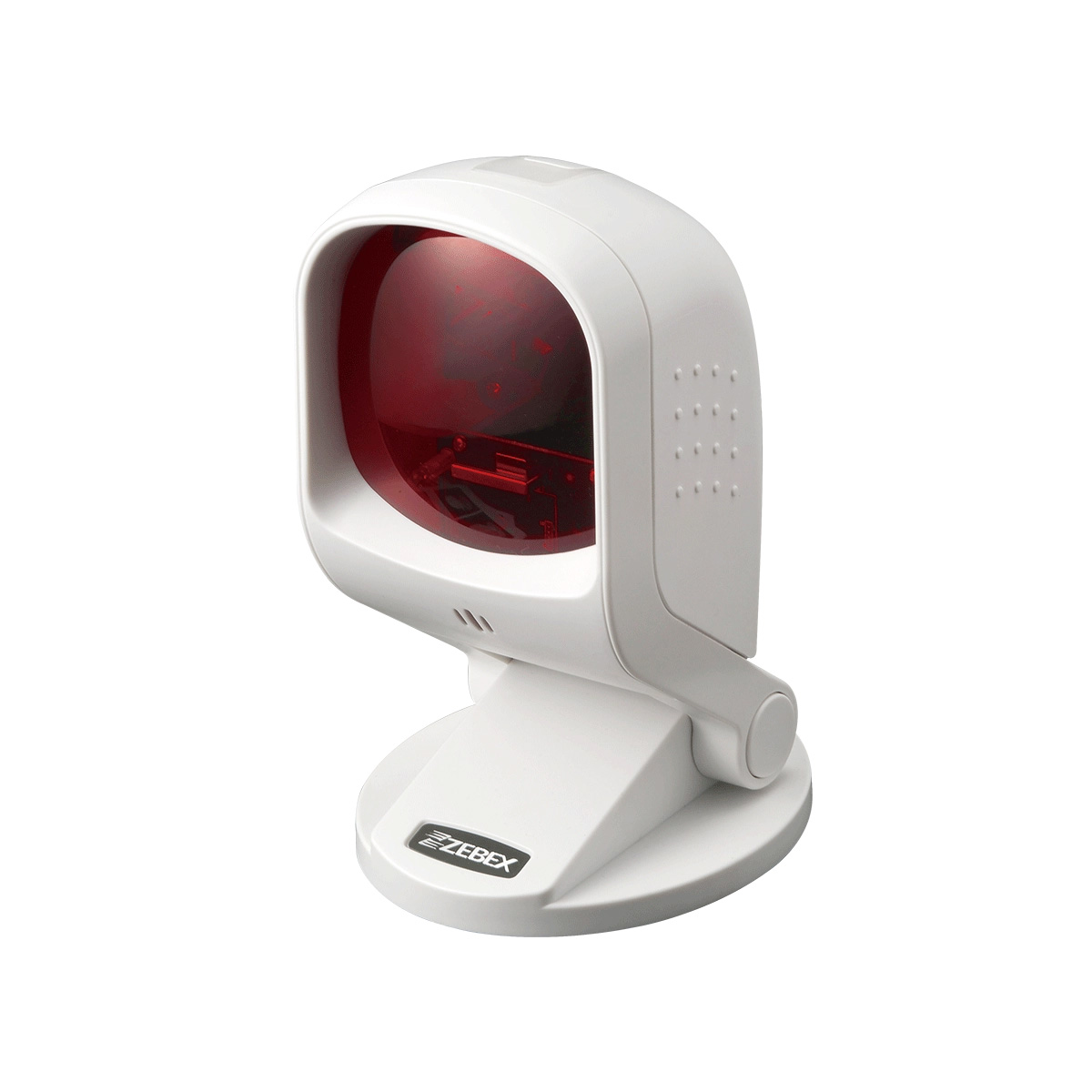
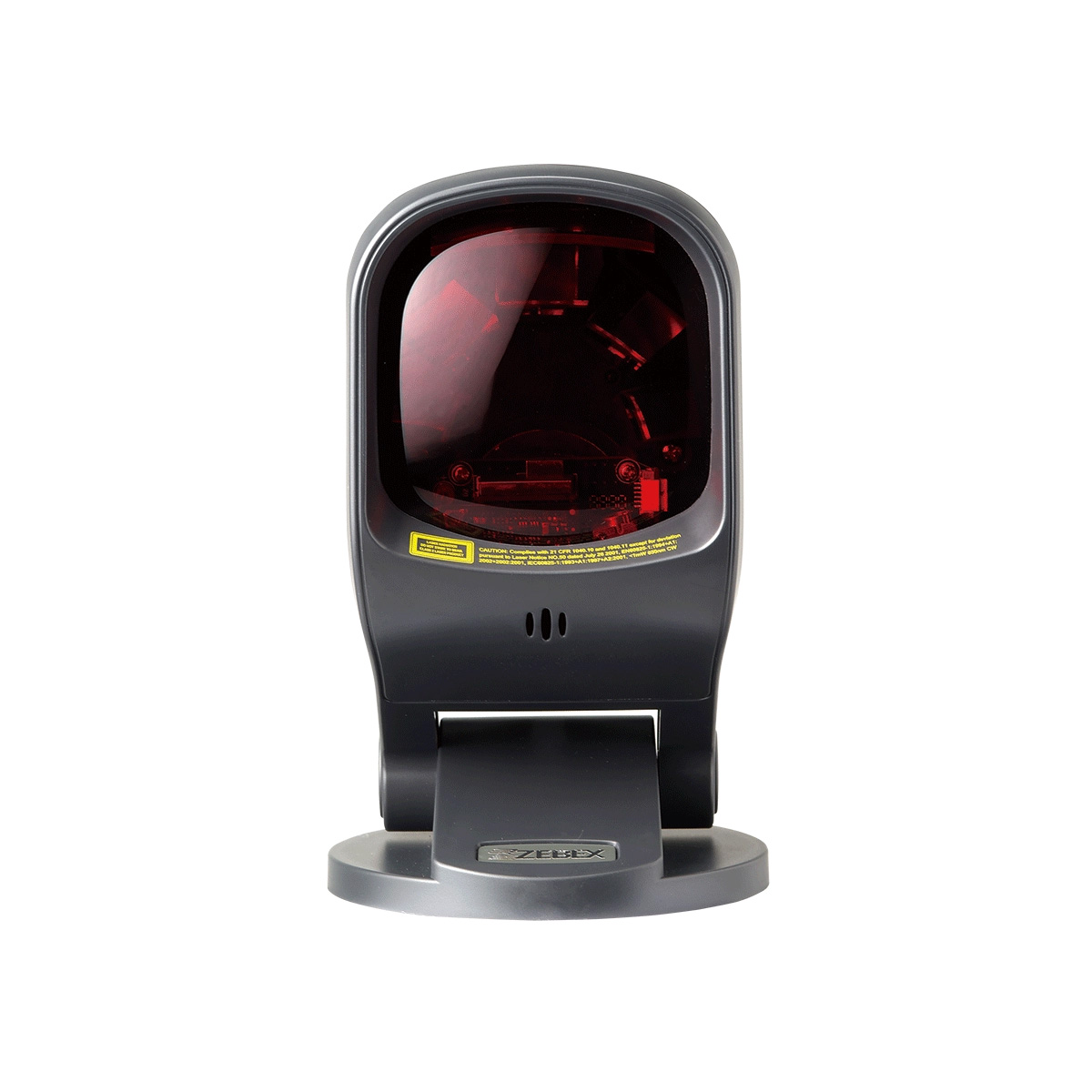
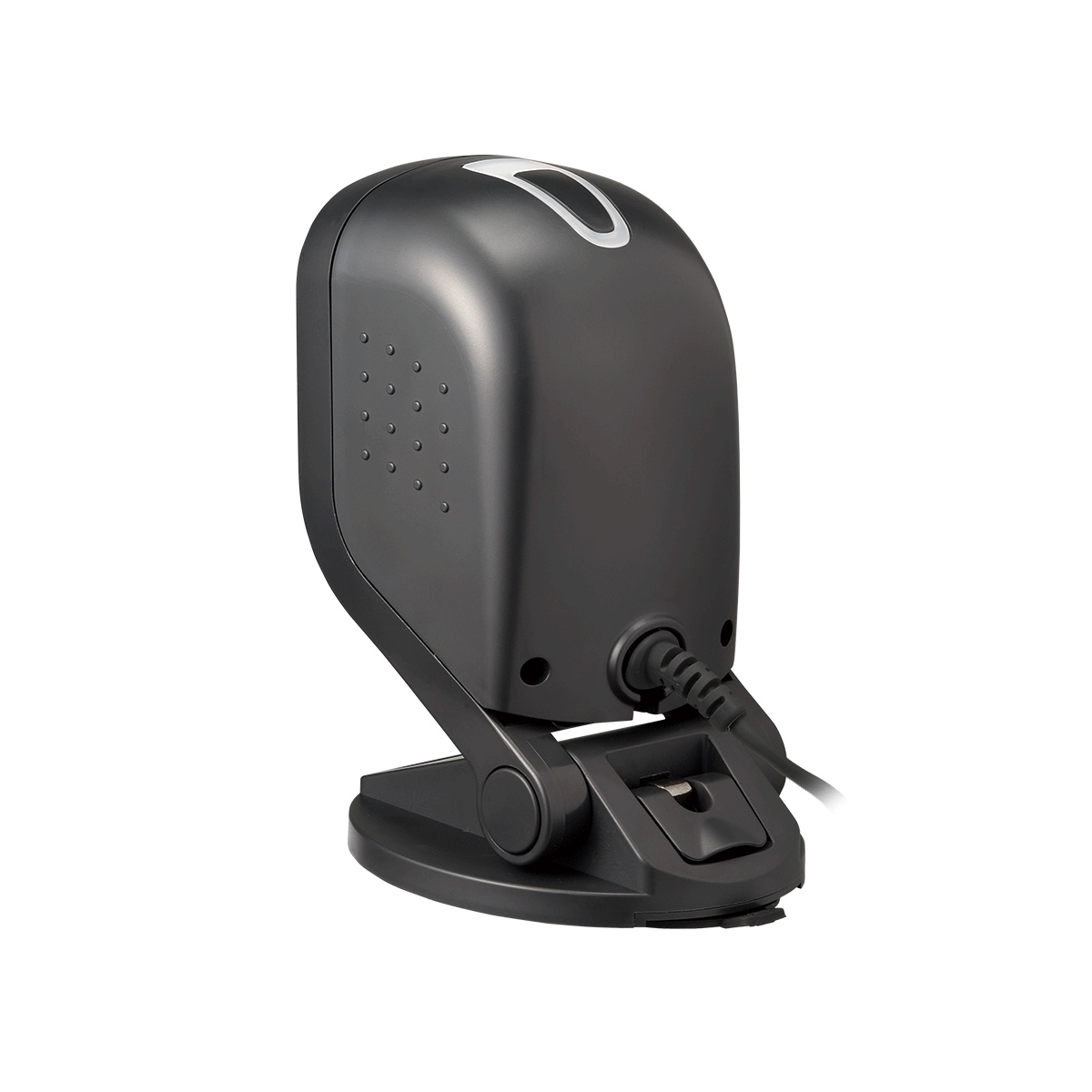
外觀典雅、內在高機能的Z-6170,可謂為產品設計美學上引領時尚潮流的新一代機種。其特殊的純淨白色與典雅黑色,可完美融入書店、精品店…等任何訴求高格調的場合。Z-6170獨特的單雷射掃描引擎設計,以20條掃描線組成的多方向雷射光束提供每秒1,400次的高速掃描,而進階版的中央處理器,以無與倫比的高效能輕鬆解譯絕大多數常見的一維條碼。
• 多線、單線切換按鍵
• 特殊絞鏈轉動軸設計,可調整直立角度
• 解碼性能再進化,提供第一時間的精準掃描
• 獨一無二的底部塑膠吸盤設計,不需任何工具即可直接就地安裝
• 獲2010年台灣精品獎肯定的殊榮
| Illumination Element | ||
|---|---|---|
| 650 nm visible laser diode (VLD) | ||
| Depth of Field | ||
| 4 mil: 10 – 50 mm 5 mil: 0 – 90 mm 7.5 mil: 0 – 170 mm 10 mil: 0 – 220 mm 13 mil: 0 – 240 mm 20 mil: 0 – 300 mm Note: DOF may vary depending on environment condition and barcode quality. | ||
| Scan Lines | ||
| 20 | ||
| Scan Pattern | ||
| 5 directions of scan field | ||
| Scan Rate | ||
| 1, 400 scans per second (omnidirectional); 70 scans per second (single-line) | ||
| Print Contrast | ||
| 30% @ UPC/EAN 100% | ||
| Indicator | ||
| Two-color LED (blue, red) | ||
| Programmable Operation | ||
| Programmable tone & beep time | ||
| System Interface | ||
| Keyboard, RS-232, HID USB, USB Virtual COM, OPOS, JPOS | ||
| Dimensions H x W x L | ||
|---|---|---|
| 165.1 x 100.0 x 118.0 mm | ||
| Weight (g) | ||
| 400 g (without cable) | ||
| Cable | ||
| Standard 2M straight | ||
| Input Voltage | ||
|---|---|---|
| 5 VDC ± 10% | ||
| Power Consumption | ||
| 1.35 watts | ||
| Operating Current | ||
| 250 mA @ 5V ( Typical ) | ||
| Laser Class | ||
|---|---|---|
| CDRH Class IIa; IEC 60825-1: Class 1 | ||
| EMC | ||
| CE EN55022 B, FCC Part 15 Class B, VCCI, BSMI, UKCA | ||
| Operating Temperature | ||
|---|---|---|
| 0°C – 40°C (32°F – 104°F) | ||
| Storage Temperature | ||
| -20°C – 60°C (-4°F – 140°F) | ||
| Humidity | ||
| 5% to 90% RH (no dewing allowed) | ||
| Light Level | ||
| Up to 4,500 Lux (fluorescence) | ||
| Drop Durability | ||
| Designed to withstand 1M drops | ||
| 1D Barcode | ||
|---|---|---|
| UPC/EAN/JAN, UPC-A & UPC-E, EAN-8 & EAN-13, JAN-8 & JAN-13, ISBN/ISSN, Code 39, Codabar, Code 128 & EAN 128, Code 93, ITF 2 of 5, IATA Code, MSI, China Postal Code, Code 32, Industrial 2 of 5, Standard 2 of 5, JAP, Code 11, GS1 DataBar, GS1 DataBar Limited, GS1 DataBar Expanded | ||
這表示掃描器可能發生故障。請關閉電源,並將設備送回維修。
掃描器已進入睡眠模式。請將物品放在掃描器動作偵測區域內,前後或左右移動,以喚醒掃描器。
請參考使用手冊,將掃描器設定為下列條碼值:




請參考使用手冊,將掃描器設定為下列條碼值:Start → HT02 → F7 → SET → CP05 → End。






如果條碼類型為 EAN-13,請設定為不要傳送 EAN-13 國碼第一個「0」。



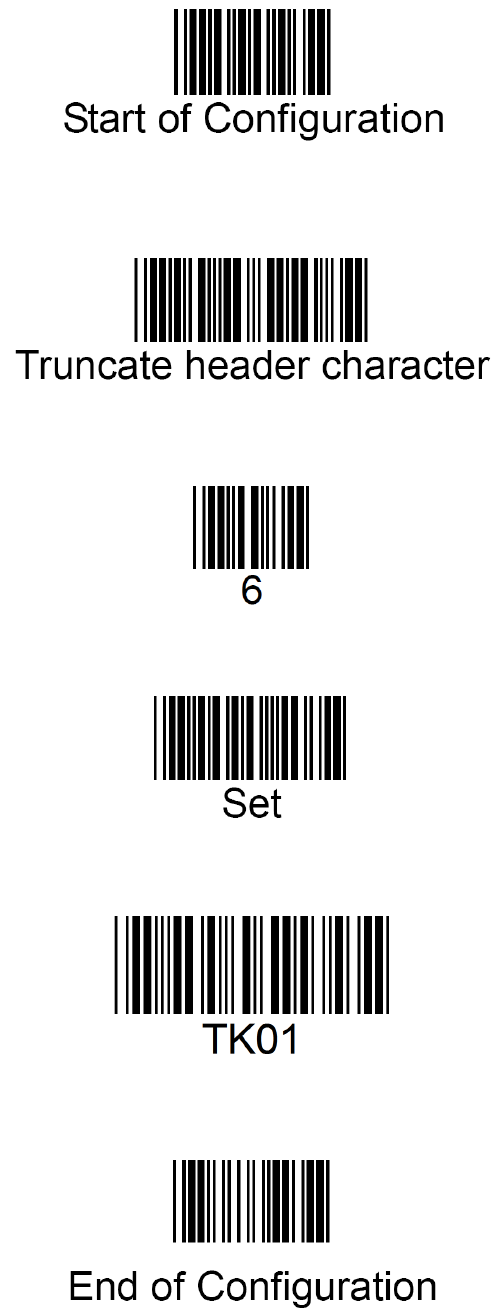
目前掃描器只能設定為針對所有條碼讀取前 6 個數字,包含 Code 128。請依照下列設定操作:
請參考使用手冊,將掃描器設定為條碼值:(CP21) Alphabet always upper case。



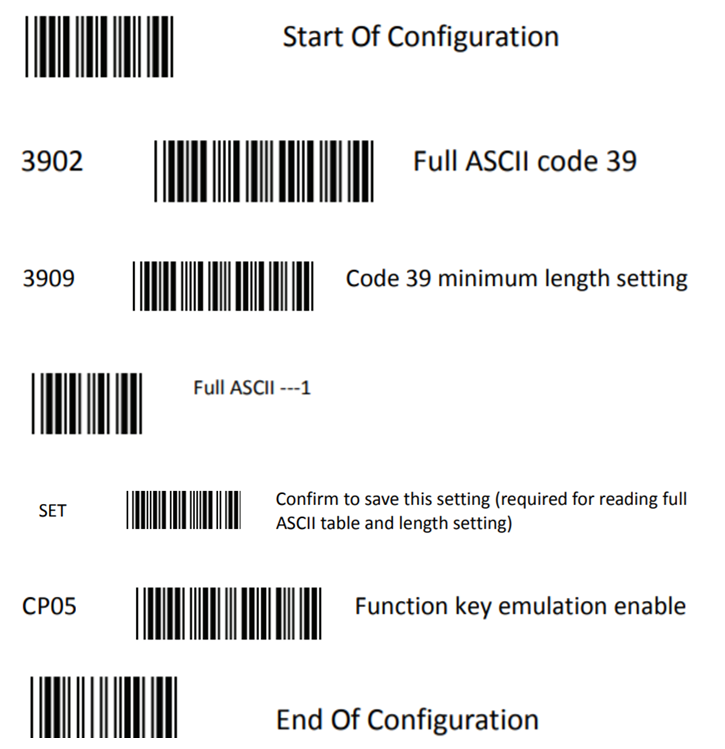
可以。若要讀取條碼後執行 F1~F10 功能鍵,請參考 Programming Guide,將掃描器設定為下列條碼值:
Start → 3902(Full ASCII Code 39)→ 3909(Code 39 minimum length setting)→ 1(Full ASCII - 1)→ SET → CP05(Function key emulation enable)→ End。
完成後,即可直接讀取 Function key F1 到 Function key F10 條碼,以模擬鍵盤 F1~F10 按鍵。

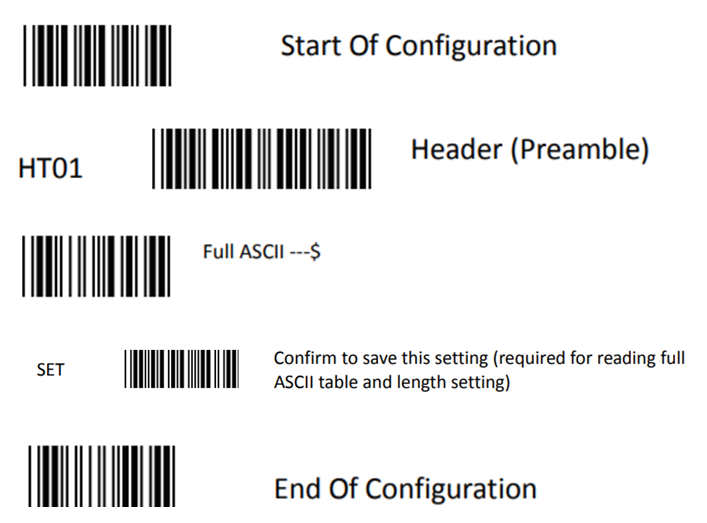
請參考 Programming Guide。以 1D 掃描器為例,可將掃描器設定為下列條碼值:Start → HT01 → $ → SET → End。
請將掃描器設定為「EAN-13 country code first '0' can transmitted」。
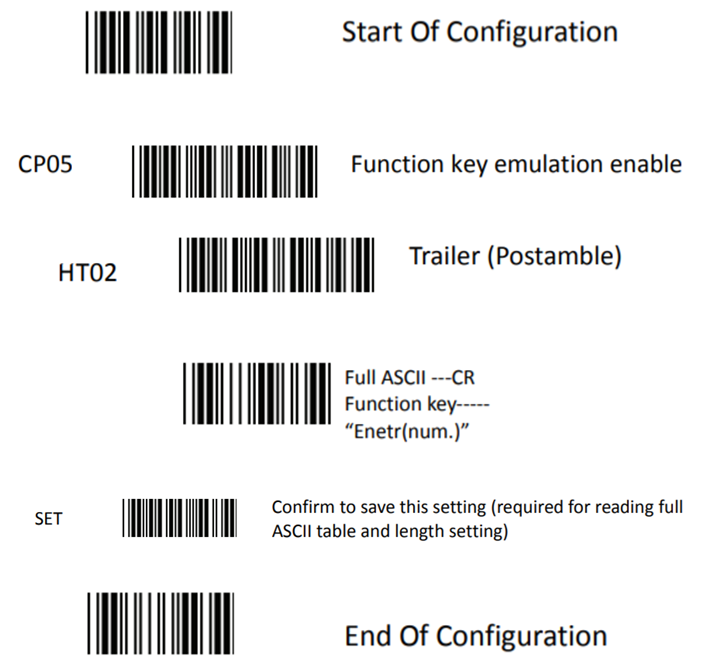
掃描器出廠預設為 1 個 Enter。請參考 Programming Guide,將掃描器設定為下列條碼值:Start → CP05 → HT02 → CR → SET → End。
若掃描器可以讀取條碼,但資料只在 USB 連接時輸出不正確,可能是主機端對 USB 通訊協定的判讀異常。請使用下列設定碼調整 USB 傳輸速度:
可能是字元延遲時間設定太短。請參考 Programming Guide,增加字元延遲時間。
Code 39 預設最小長度為 3 碼。請參考 Programming Guide,啟用 Full ASCII Code 39,並將最小長度設定為 1 碼。
請依照下列步驟,並參考 Programming Guide 設定條碼的最小或最大長度。

可以。ZEBEX 掃描器可讀取 RSS(GS1 Databar)條碼,請參考網站上的解碼能力表確認支援項目。
當 UPC-A 的第一碼為 0 時,掃描器可能會將條碼判定為 EAN-13。請參考 Programming Guide,將掃描器設定為「EAN-13 第一個 0 可傳送」,即可解決此問題。
製作條碼時,通常必須保留足夠的 quiet zone。
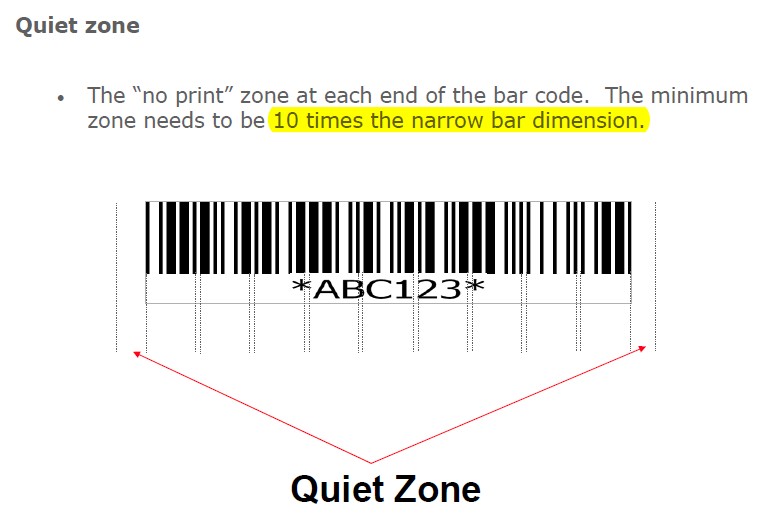
若條碼已經製作完成,請參考邊界設定並嘗試縮小 margin,確認是否能修正問題並正常輸出。
請參考 Programming Guide,將掃描器的 EAN/UPC 設定為「Add on 2 or 5」。



新 ISBN(EAN-13):Start → Reset → End



舊 ISBN:Start → RC11 → End



請參考 Programming Guide,將掃描器設定為下列條碼值:Start → UE66 → UE18 → UE28 → End。






Copyright © 2026 ZEBEX INDUSTRIES INC. | Auto-ID Solutions from Taiwan