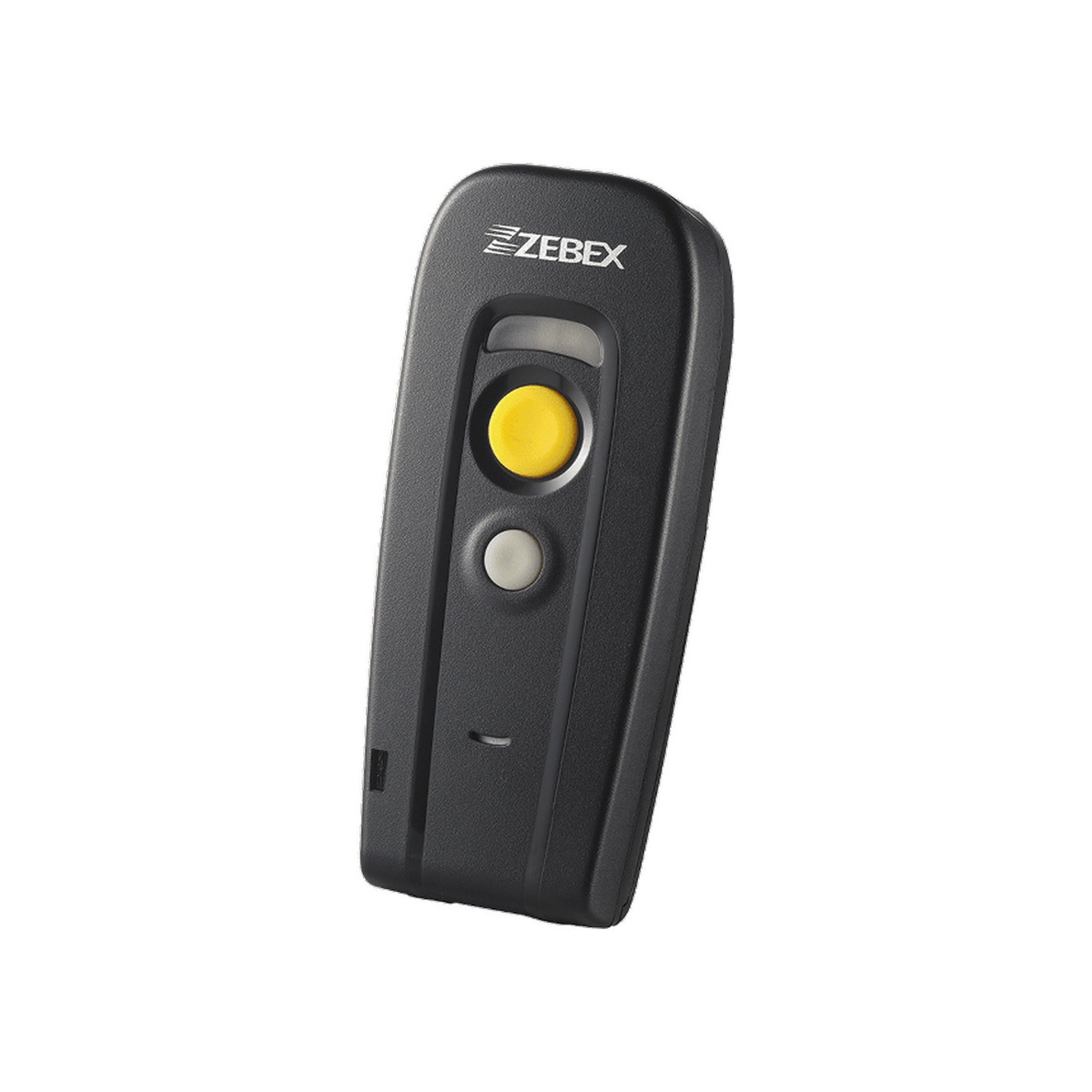
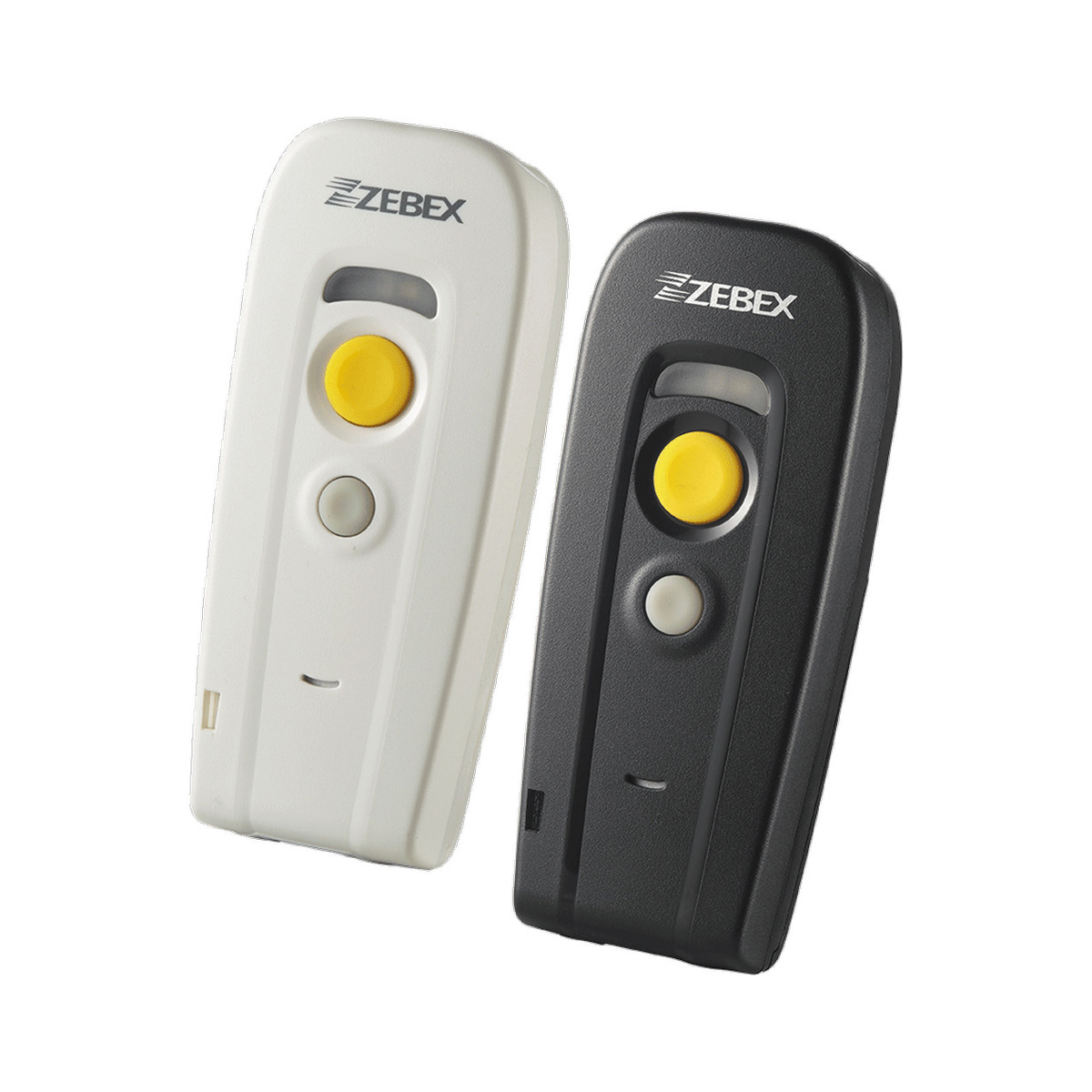
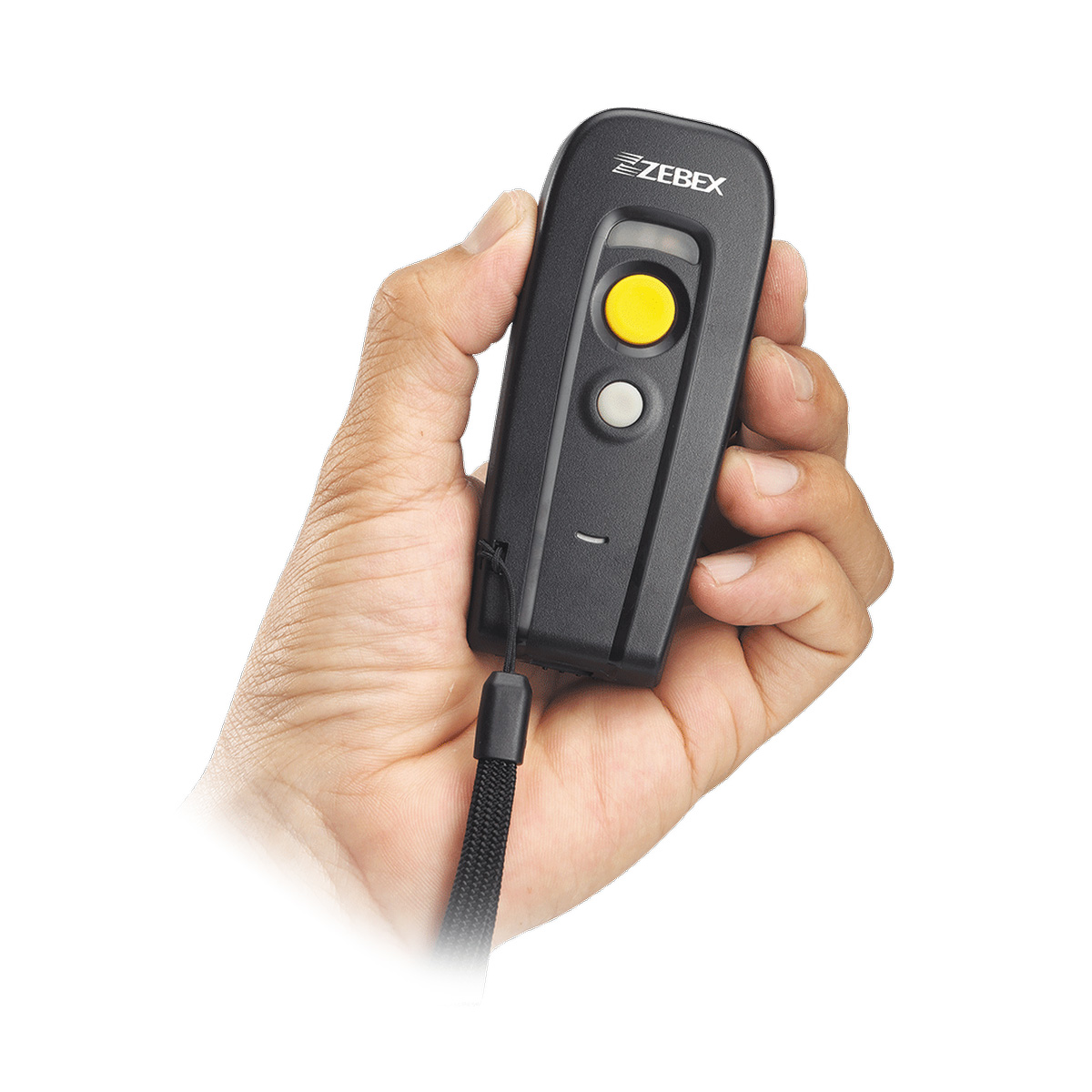
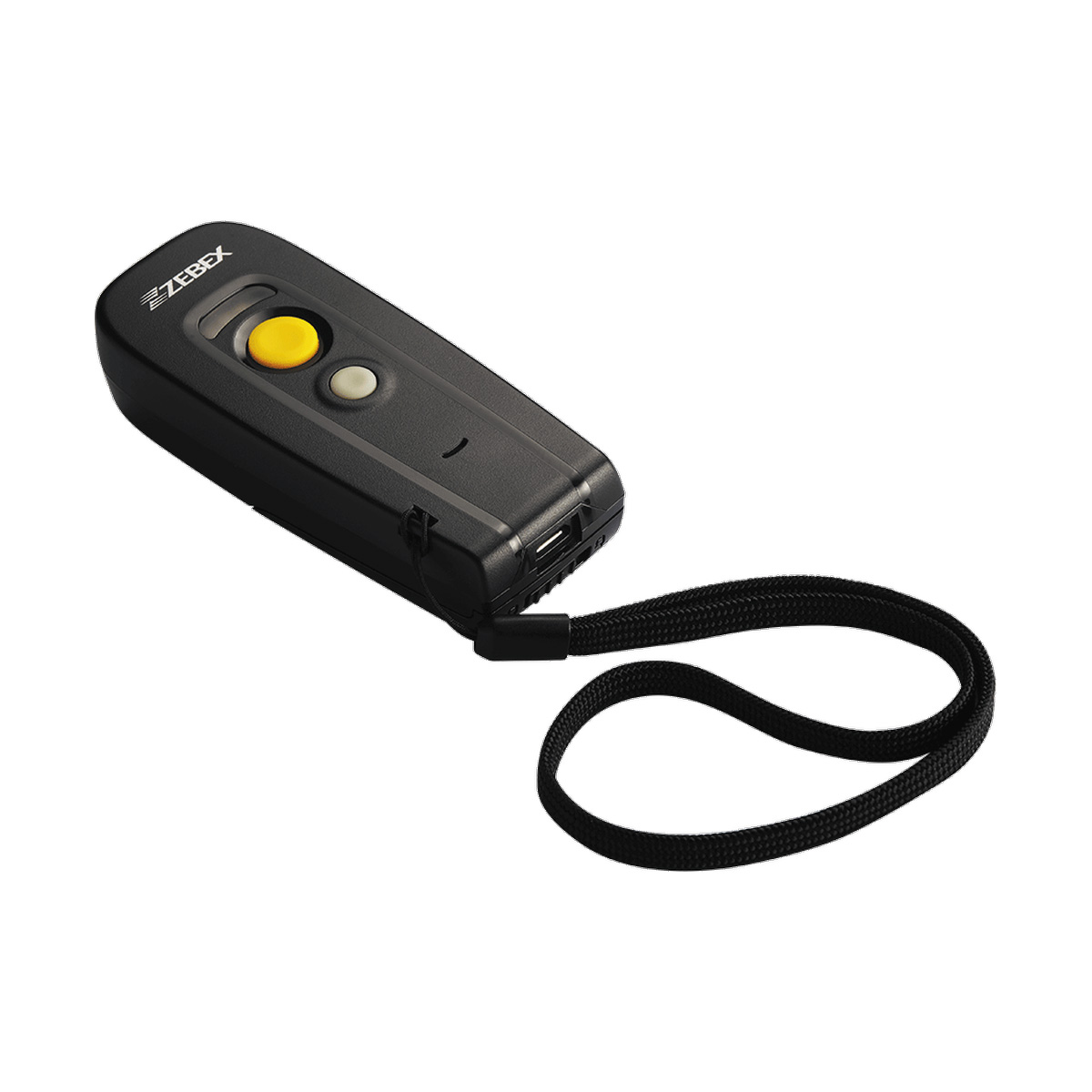
專為提供最佳的讀取性能所設計,輕巧的Z-3250具有寬掃描範圍與無線傳輸技術,任何應用都能輕鬆處理。Z-3250儘管小巧但功能強大,內建有32位元的CPU及優越的掃描引擎,不論在任何環境中均能完成快速即時的條碼掃描。
• 外體精巧輕盈、易於攜帶
• 與iOS/Android各機種及Windows系統之PC均可相容
• 內建32位元的微型處理器
| Illumination Element | ||
|---|---|---|
| 617 nm visible red LED | ||
| Optical System | ||
| Linear CCD array | ||
| Depth of Field | ||
| 4 mil: 50 – 90 mm 5 mil: 50 – 120 mm 7.5 mil: 30 – 210 mm 10 mil: 30 – 240 mm 13 mil: 30 – 330 mm 20 mil: 40 – 380 mm Note: DOF may vary depending on environment condition and barcode quality. | ||
| Min. Bar Width | ||
| 4 mil | ||
| Scan Rate | ||
| 330 scans per second | ||
| Print Contrast | ||
| 30% @ UPC/EAN 100% | ||
| Indicator | ||
| Three-color LED (green, red & blue), beep | ||
| Programmable Operation | ||
| Beeper tone & volume | ||
| System Interface | ||
| USB HID, Virtual COM, OPOS | ||
| Dimensions H x W x L | ||
|---|---|---|
| 97.0 × 40.0 x 23.0 mm | ||
| Weight (g) | ||
| 79.7 g (battery included) | ||
| Interface | ||
|---|---|---|
| RF wireless compatible with BT 2.1 SPP/HID profile mode | ||
| Working Range | ||
| Up to 100M (depends on operating environment) | ||
| Input Voltage | ||
|---|---|---|
| 5 VDC ± 10% | ||
| Operating Current | ||
| Charging: 440 mA; non-charging: 150 mA | ||
| Main Battery | ||
| 3.7V, 850 mAh, Li-ion rechargeable battery | ||
| Battery Life | ||
| Over 80 hours at 6 scans per minute (depending on condition) | ||
| EMC | ||
|---|---|---|
| CE & FCC DOC compliant, VCCI, BSMI, UKCA | ||
| Operating Temperature | ||
|---|---|---|
| 0 °C to 50 °C (32°F – 122°F) | ||
| Storage Temperature | ||
| -20°C to 60°C (-4°F – 140°F) | ||
| Humidity | ||
| 5% – 95% RH (non-condensing) | ||
| Light Level | ||
| 0-100,000 Lux (fluorescence) | ||
| Drop Durability | ||
| Designed to withstand 1.2M drops | ||
| Environmental Sealing | ||
| IP43 rated sealing | ||
| 1D Barcode | ||
|---|---|---|
| UPC/EAN/JAN, UPC-A & UPC-E, EAN-8 & EAN-13, JAN-8 & JAN-13, ISBN/ISSN, Code 39, Codabar, Code 128 & EAN 128, Code 93, ITF 2 of 5, IATA Code, MSI, China Postal Code, Code 32, Industrial 2 of 5, Standard 2 of 5, JAP, Code 11, GS1 DataBar, GS1 DataBar Limited, GS1 DataBar Expanded, Telepen | ||
只要條碼與背景顏色符合掃描器所需的對比比例,掃描器即可讀取不同顏色的條碼。

若掃描器可以讀取條碼,但資料只在 USB 連接時輸出不正確,可能是主機端對 USB 通訊協定的判讀異常。請使用下列設定碼調整 USB 傳輸速度:
可能是字元延遲時間設定太短。請參考 Programming Guide,增加字元延遲時間。
Code 39 預設最小長度為 3 碼。請參考 Programming Guide,啟用 Full ASCII Code 39,並將最小長度設定為 1 碼。
請依照下列步驟,並參考 Programming Guide 設定條碼的最小或最大長度。

可以。ZEBEX 掃描器可讀取 RSS(GS1 Databar)條碼,請參考網站上的解碼能力表確認支援項目。
當 UPC-A 的第一碼為 0 時,掃描器可能會將條碼判定為 EAN-13。請參考 Programming Guide,將掃描器設定為「EAN-13 第一個 0 可傳送」,即可解決此問題。
製作條碼時,通常必須保留足夠的 quiet zone。
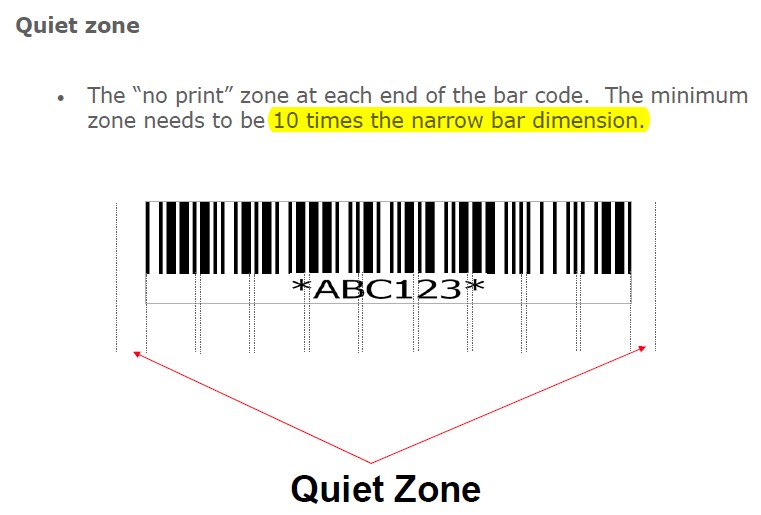
若條碼已經製作完成,請參考邊界設定並嘗試縮小 margin,確認是否能修正問題並正常輸出。
請參考 Programming Guide,將掃描器的 EAN/UPC 設定為「Add on 2 or 5」。



新 ISBN(EAN-13):Start → Reset → End



舊 ISBN:Start → RC11 → End



請參考 Programming Guide,將掃描器設定為下列條碼值:Start → UE66 → UE18 → UE28 → End。





USB 連線可能不支援 Inter Character Delay。若需要降低傳輸速度,可將掃描器設定為 International Keyboard(ALT method)模式。
請參考下方圖表,並使用 Programming Guide 設定您的掃描器。

請參考 Programming Guide,將掃描器設定為 International Keyboard mode(Alt-method)。
可使用 Windows 的 HyperTerminal 測試此功能。按下 Ctrl + O 可停用掃描,按下 Ctrl + N 可啟用掃描。
請參考 Programming Guide,調整 Same code delay 設定。
通常不需要特殊連接線即可使用 USB Virtual COM。若要使用 USB Virtual COM,請參考 Programming Guide,將介面設定變更為 USB Virtual COM。
記事本不支援接收 RS-232 連接埠或 USB Virtual COM 的資料。請改用 HyperTerminal 或其他類似軟體。
請至網站下載該掃描器的 User’s Manual 或 Programming Guide,並使用雷射印表機列印設定條碼。
不同語言的鍵盤格式可能需要不同設定,才能正確輸出資料。
請先下載 Programming Guide,找到 Keyboard Language Support 設定,並掃描與實際使用鍵盤相同的語言設定。
若找不到對應語言設定,請改用 International Keyboard mode(ALT mode)。若仍有問題,請聯絡業務代表或網站技術支援,並提供鍵盤配置、範例條碼與期望輸出結果。
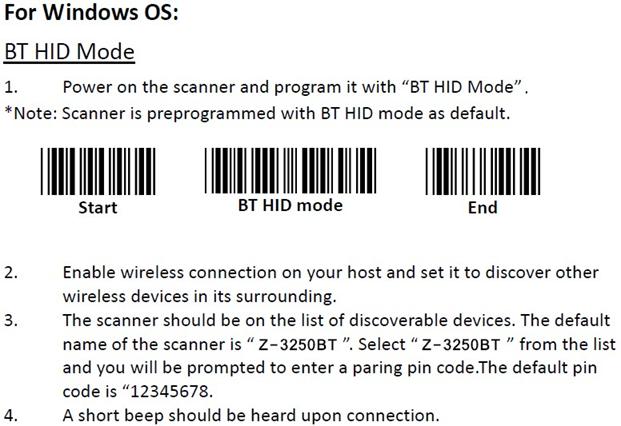
預設 PIN 碼為 12345678。
請參考附件設定 USB online / Virtual COM。
請設定:Start → 3909 → 1 → SET → 3902 → CP05 → End。
完成後,即可掃描 TAB 條碼來取代按下鍵盤 TAB 鍵。TAB 條碼位於 Programming Guide 附錄 4:Full ASCII Code 39 Table。
請將掃描器設定為「EAN-13 country code first '0' can transmitted」。
請參考 Programming Guide,將掃描器設定為啟用 inverse EAN/UPC 的條碼值:Start → UER1 → End。
請參考 Programming Guide,將掃描器設定為下列條碼值:Start → HT03 → 1 → 3 → TK01 → End。
新 ISBN(EAN-13):Start → Reset → End。
舊 ISBN:Start → RC11 → End。
出廠預設為 1 個 Enter。請參考 Programming Guide,將掃描器設定為下列條碼值:Start → HT02 → CR → SET → End。
以下為恢復預設值並設定為 USB HID 介面的設定碼:
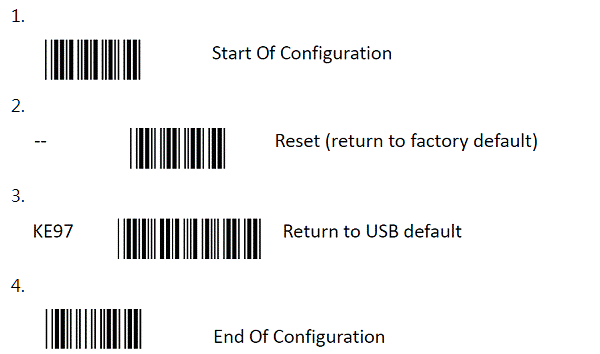
以下為確認設定是否成功的方法:

此問題可能與 Code 128 的 FNC1 設定有關。停用 FNC1 後,應可得到正確輸出。
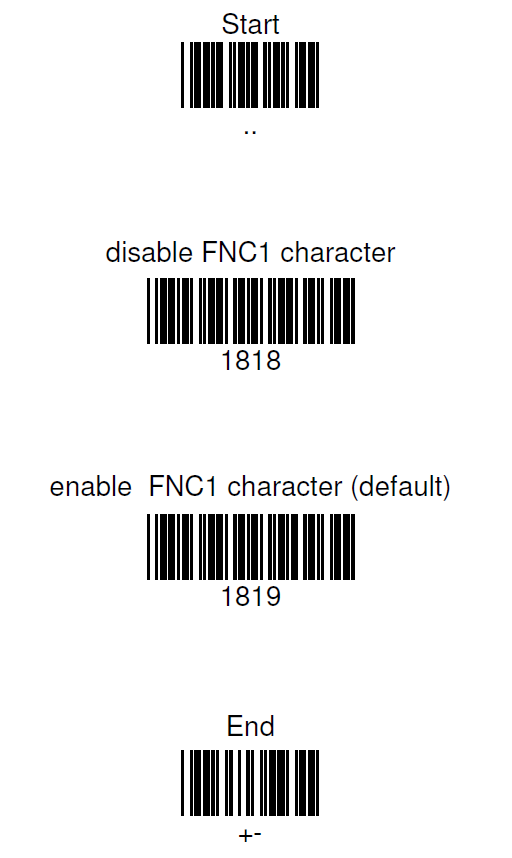
FNC1 是 Code 128 字元,常用於 GS1-128(UCC/EAN128)符號中分隔資料。當輸出介面為 USB HID 模式時,FNC1 {GS} 通常不會顯示。
請參考附件,在 Windows 10 設定 USB HID Mode。
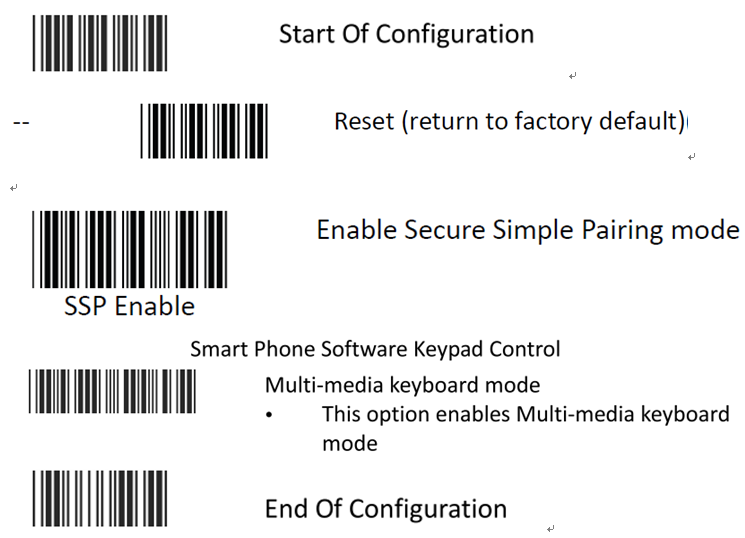
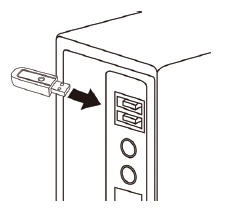



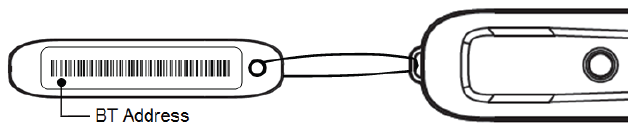
不論是否在連線範圍內,Batch mode 會將所有掃描資料儲存在掃描器中,之後再傳送到主機電腦。





Copyright © 2026 ZEBEX INDUSTRIES INC. | Auto-ID Solutions from Taiwan